From Noise to Notation | Designing a reliable way to capture audio with clarity, speed, and confidence.
To help creators capture, monitor, and manage audio effortlessly through a streamlined, intuitive recording device built around real-world needs and fast-paced workflows.
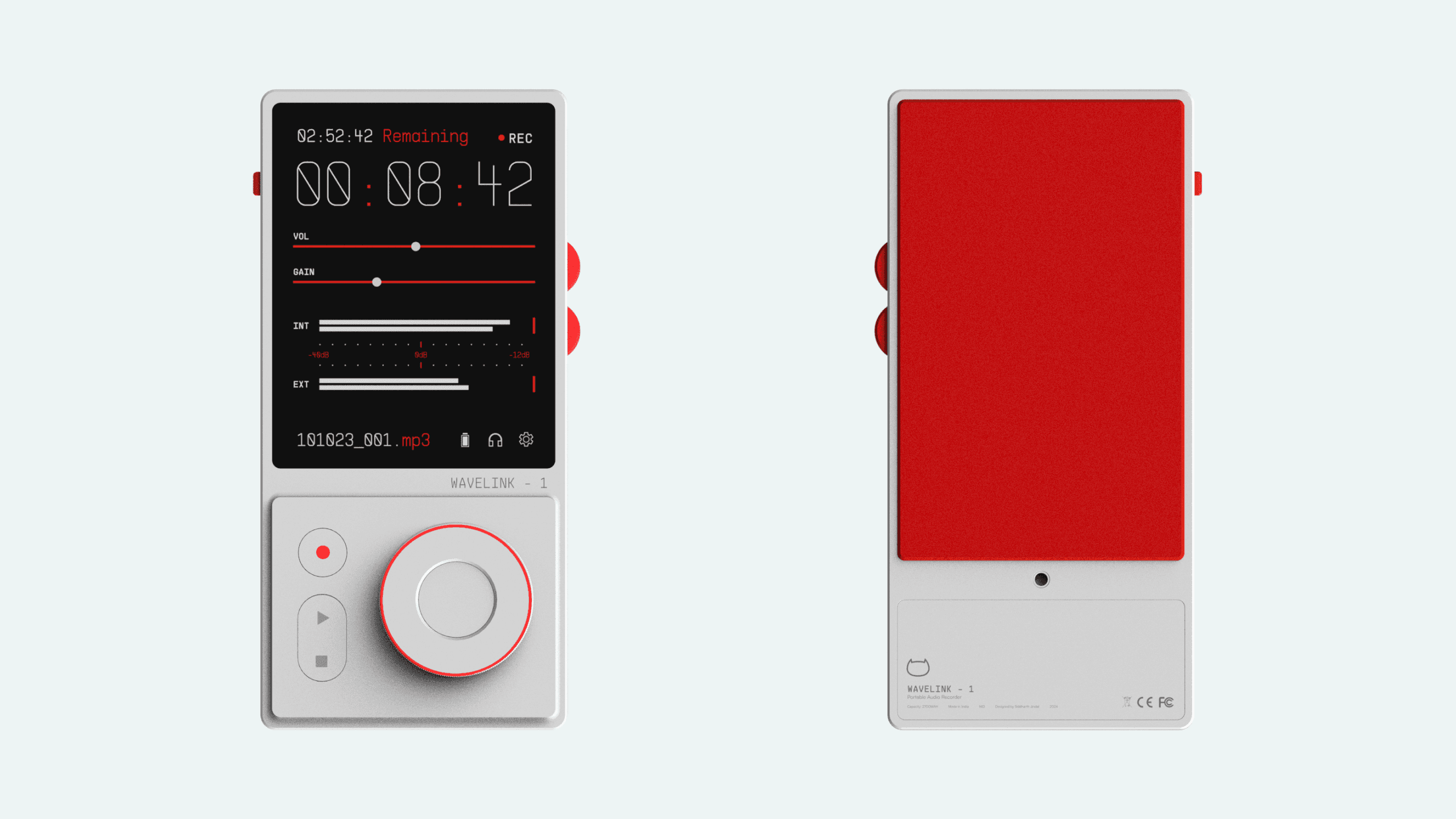
Wavelink - 1 is a product redesign project born out of my experience during the 4th semester at NID, where I had the opportunity to use the Tascam DR-40x sound recording device for a filmmaking project. Despite its impressive feature set, I found the user interface to be notably unsatisfactory. The device's subpar display, bulky design, and non-intuitive controls led to a frustrating user experience.
As a design exercise, I embarked on reimagining the product as a sleek, modern piece of equipment that not only offers intuitive functionality but also exudes aesthetic appeal.
Context

4 Weeks
Timeline
UX Research
UI Development
Industrial Design
Role
1 Designer
1 Mentor
Team
Figma
Fusion360
Keyshot
Tools
Why?
Traditional field recorders often get in the way of the very thing they’re built for, capturing sound. Complex menus, poor feedback, and unintuitive layouts create friction during high-pressure moments. Wavelink-1 was born out of a need to simplify that experience.
By prioritizing clarity, tactile feedback, and real-time visibility, the goal was to design a tool that supports creators, without distracting them from the moment.
Read Research Document
ideation
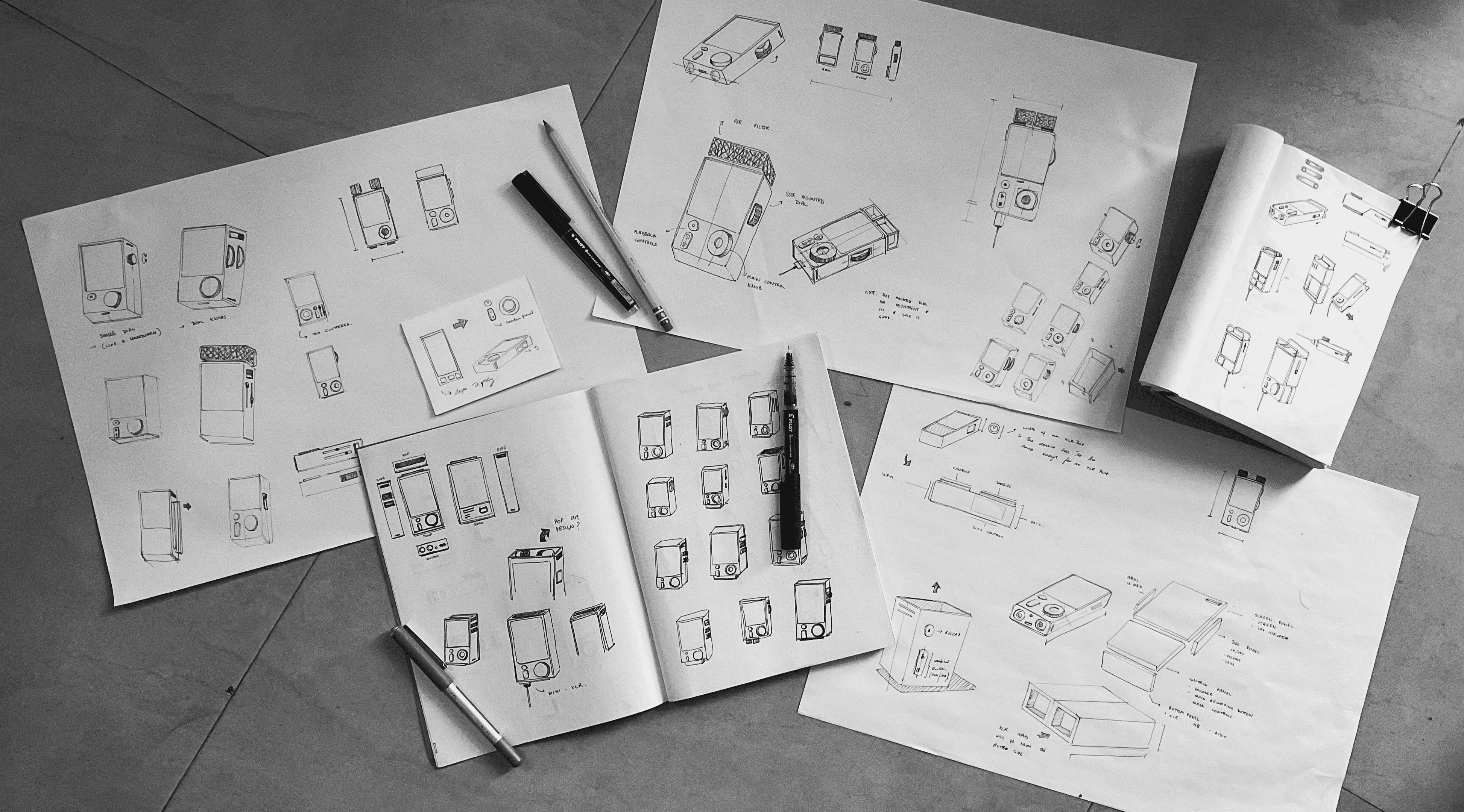
The main areas I wanted to work on regarding the redesign was, improving the display, both in terms of its size and its type, reducing the amount of controls and make the task flow easier, and redesigning the body of the device to be sleek, modern and aesthetic. I sketched out some rough ideas and used Figma to refine them.
User interface
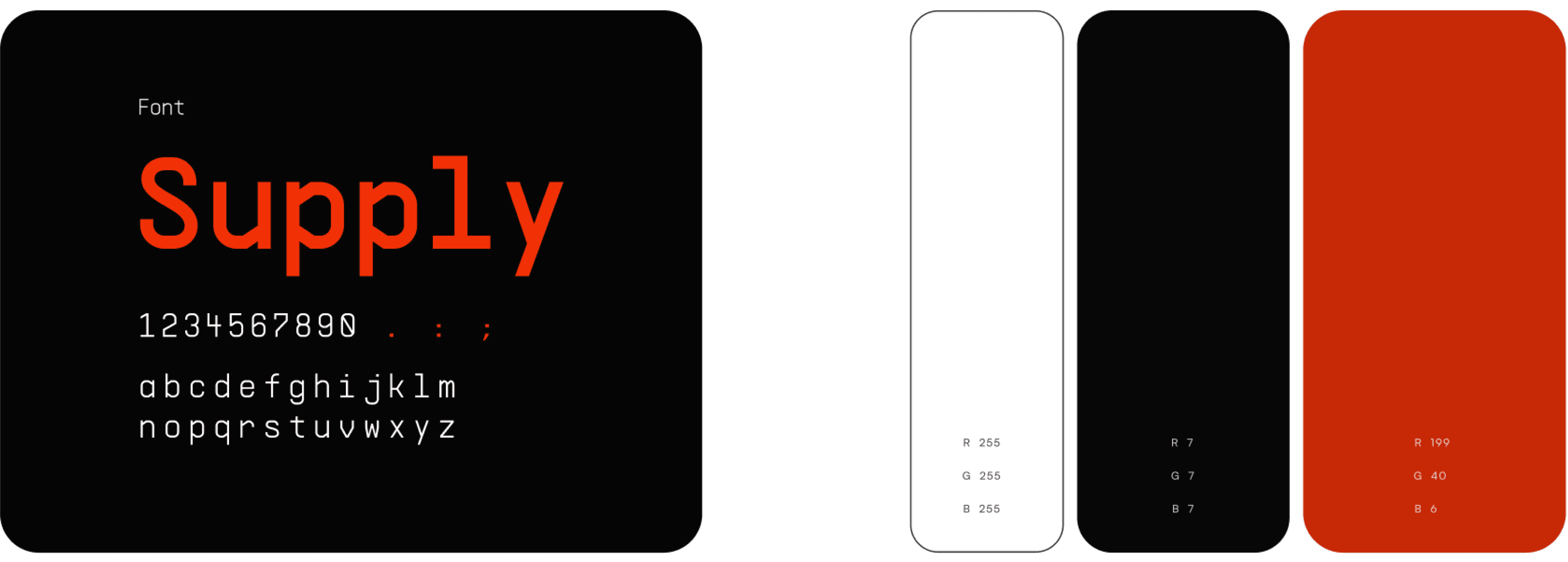
I wanted to make the user interface very simple and easy to read. The home screen shows you all the relevant information you need while a recording is going on. The entire UI is built in a dual color scheme, with black as a backdrop color. The white on black delivers a striking contrast that is easy to read and reduces the strain on the eyes. All the highlighted information is shown in a deep red color.

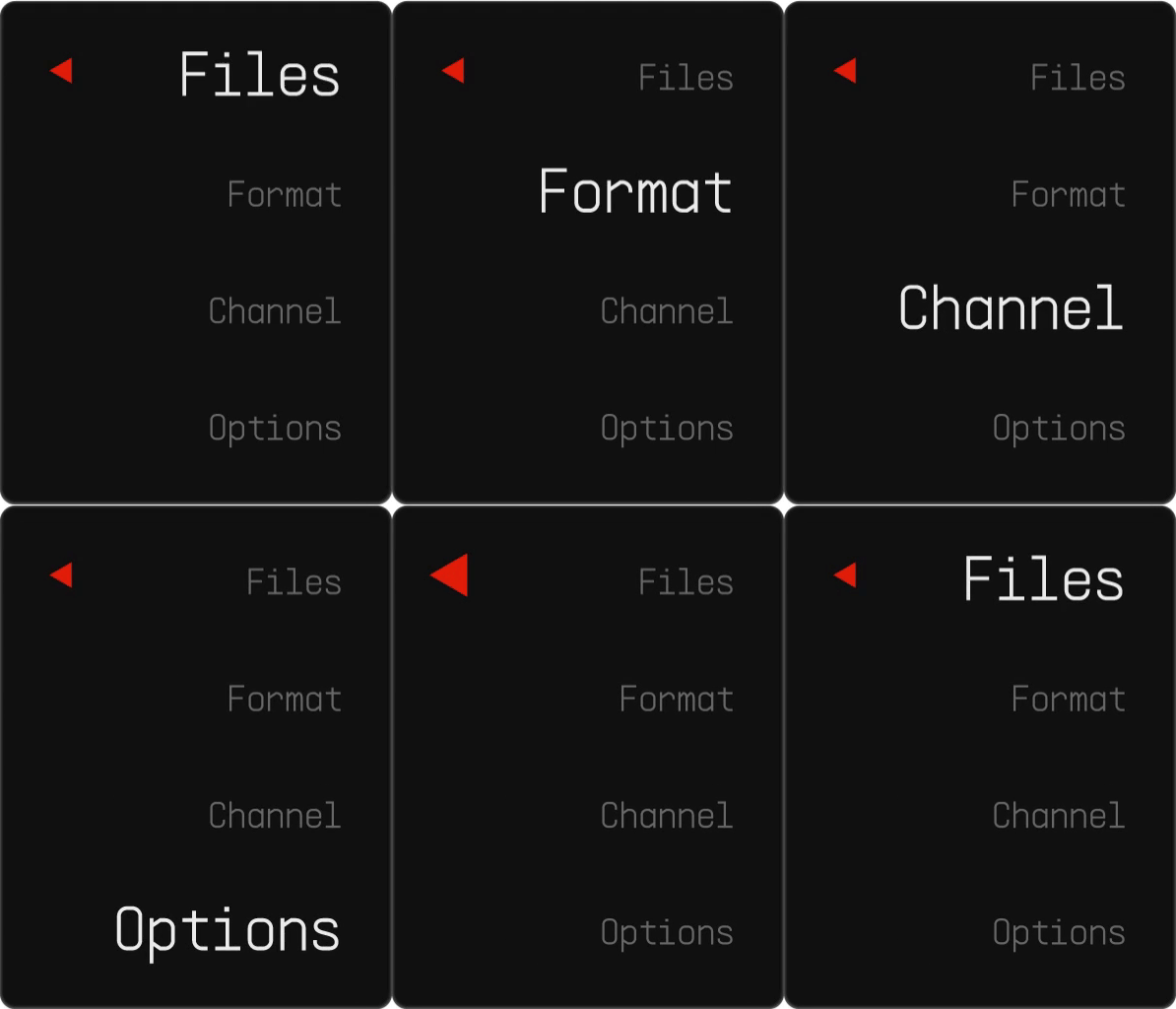

Animations for : 1) Lock Screen 2) Home/Recording Screen 3) Main Menu Screen
Wavelink - 1
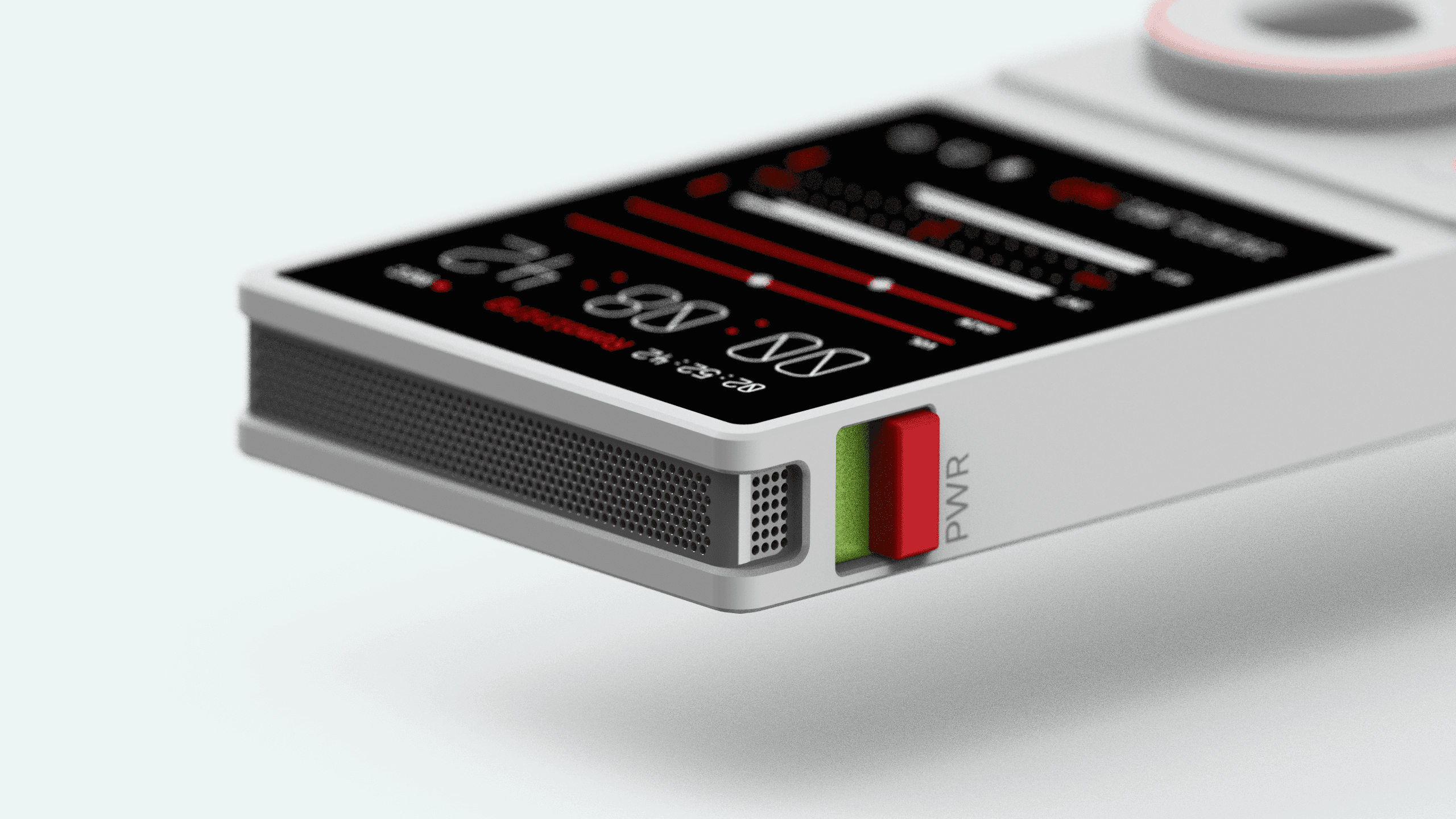
The final concept device is a modern and minimal looking sound recorder. The unibody aluminum casing is powder coated in a matte white finish, with red accents on the controls and the input ports. The screen is an OLED panel, in which only the pixels that are in use light up, resulting in a lasting battery performance. The device itself resembles the form of a conventional smartphone in terms of its size and weight.
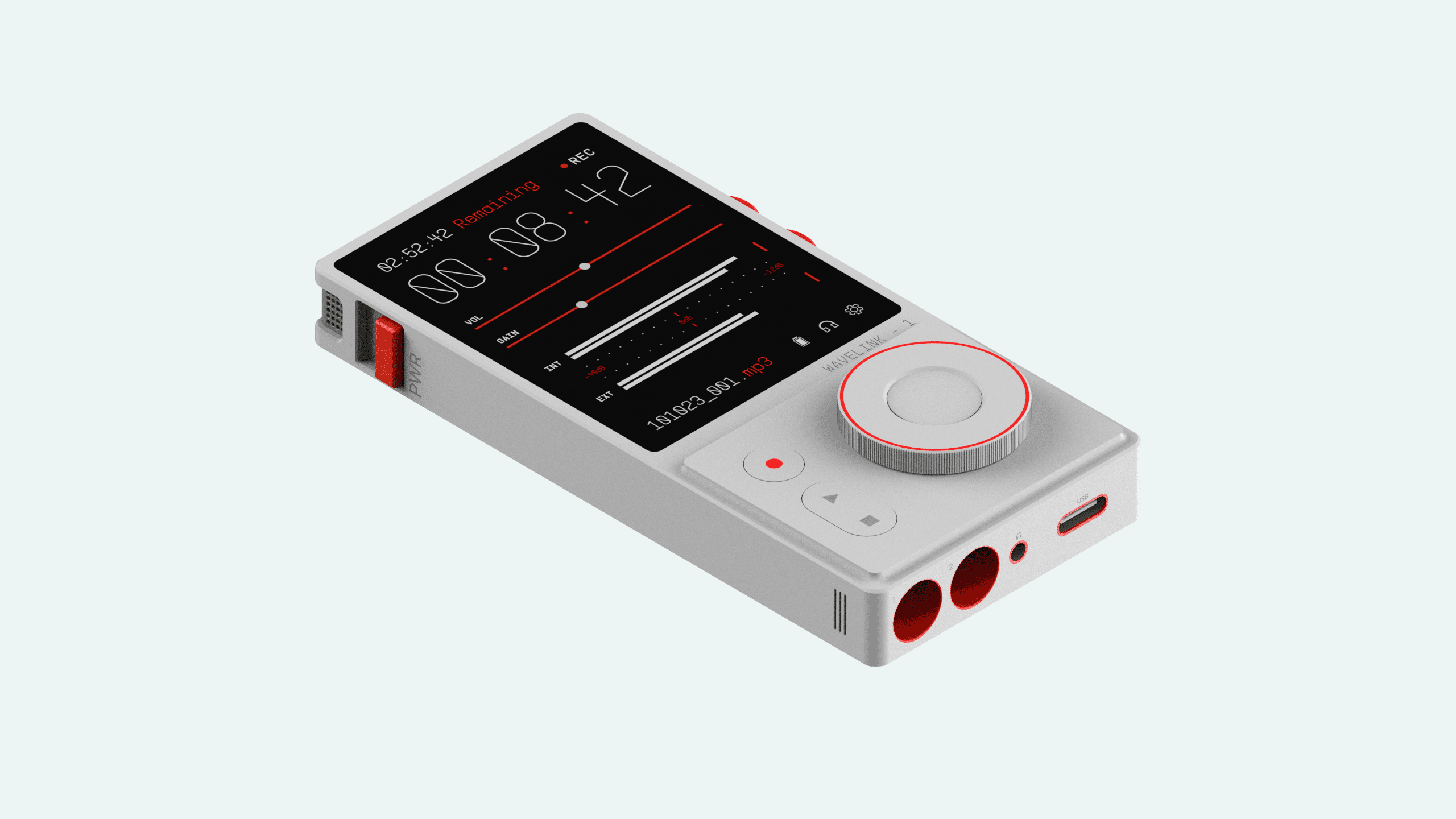
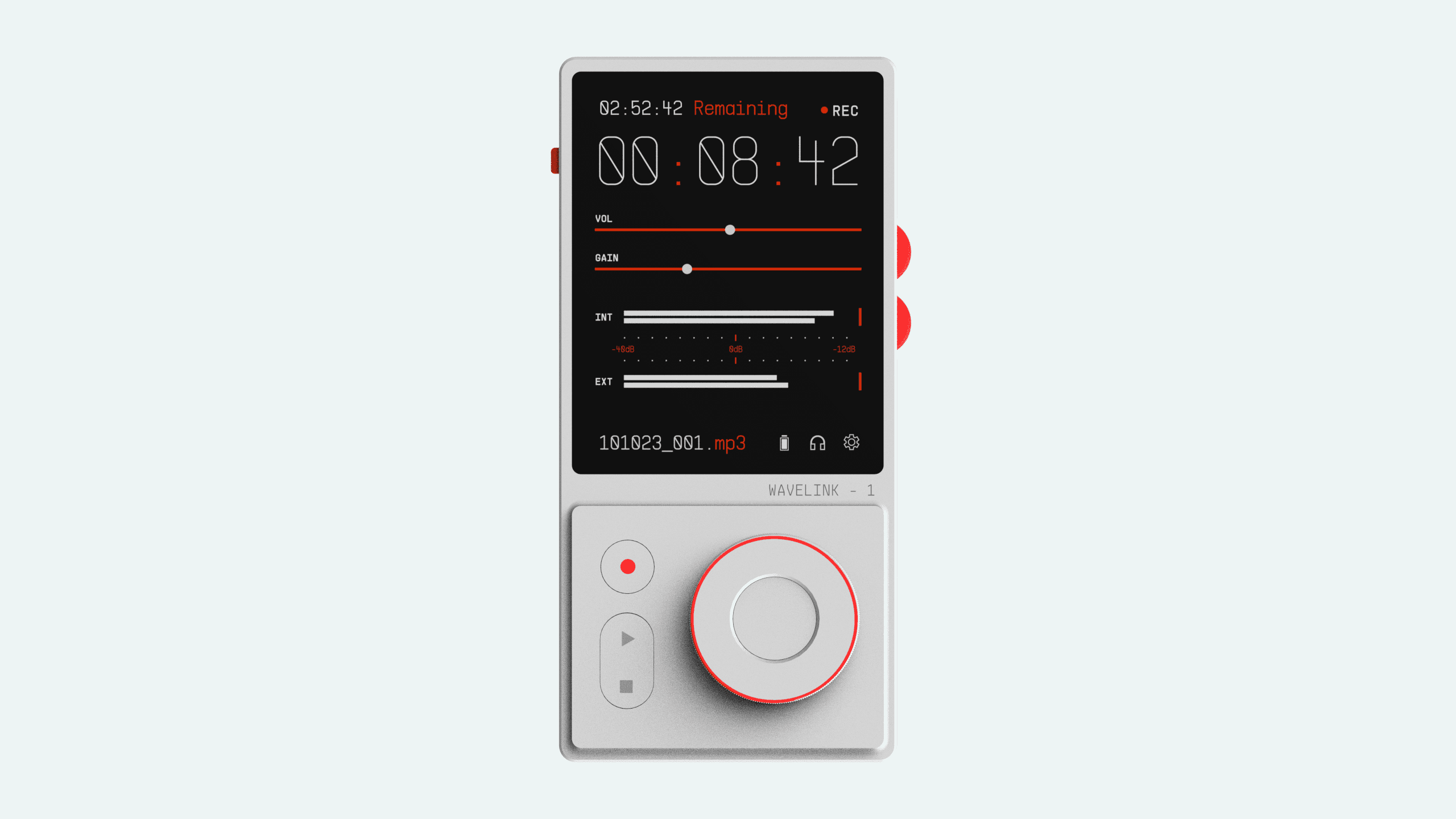
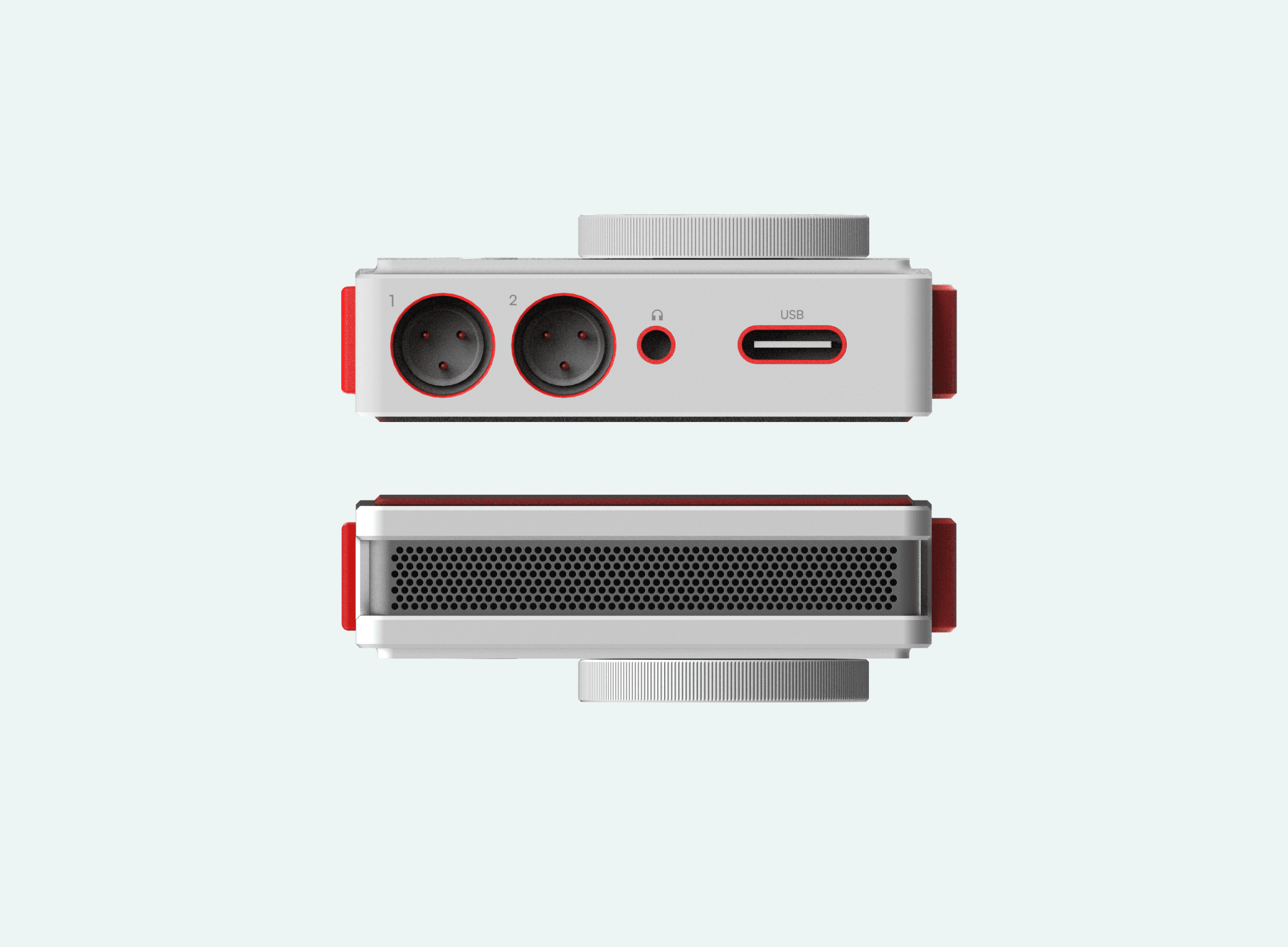
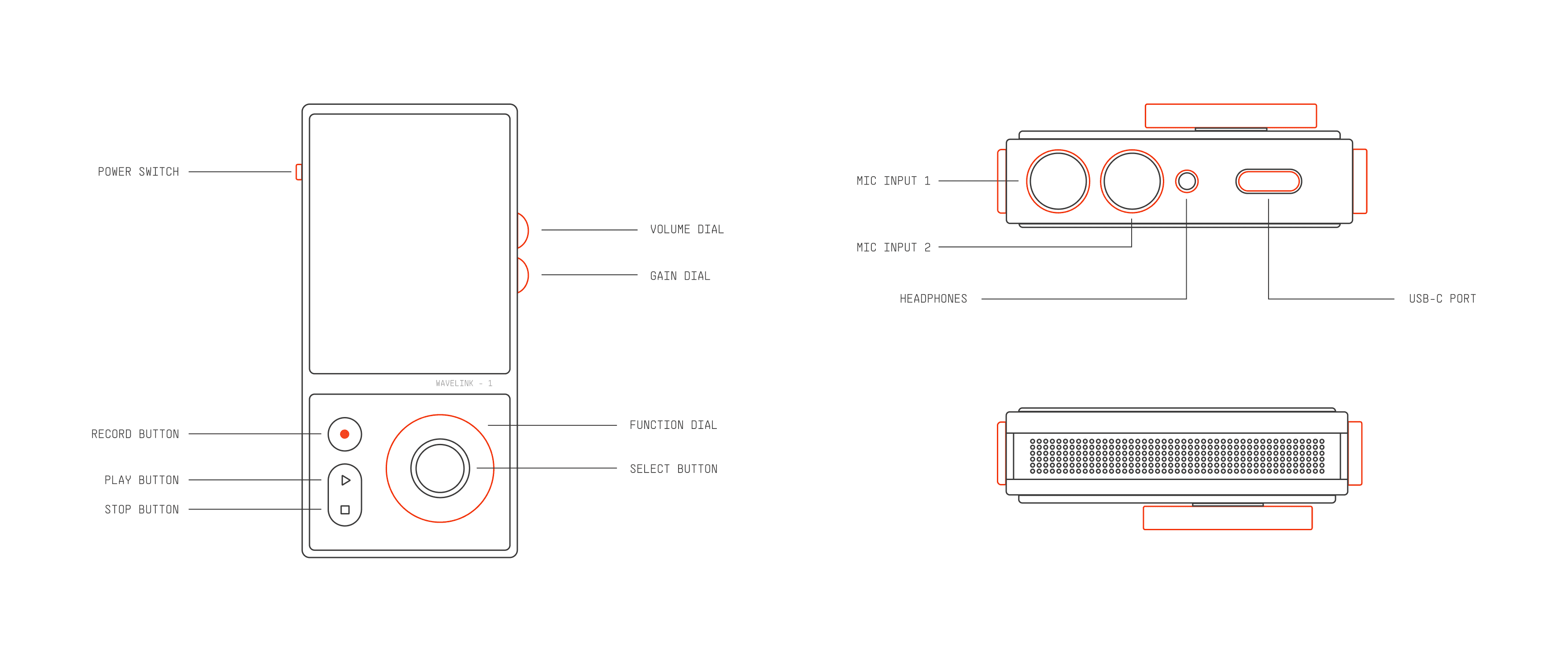
Apart from the front controls, there and controls situated on the sides of the device. On the right hand side, there are 2 dials, both of which control the gain of the in-built microphones and the volume of the output respectively. This makes the operation of the device easier when being held with one hand.
On the left side, there is the main power switch that turns on the device, which is labeled with a bright green color accent.
Side mounted controls
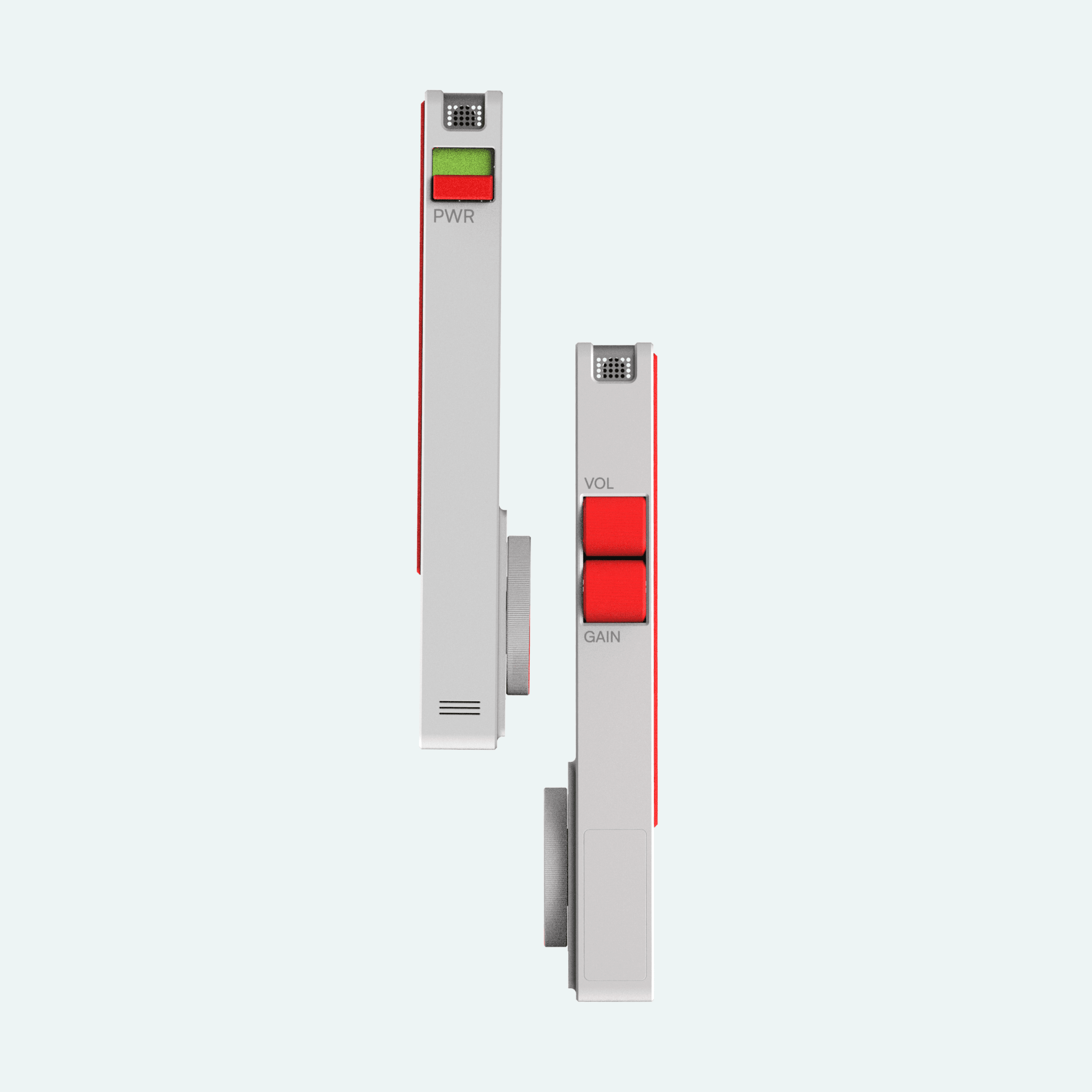
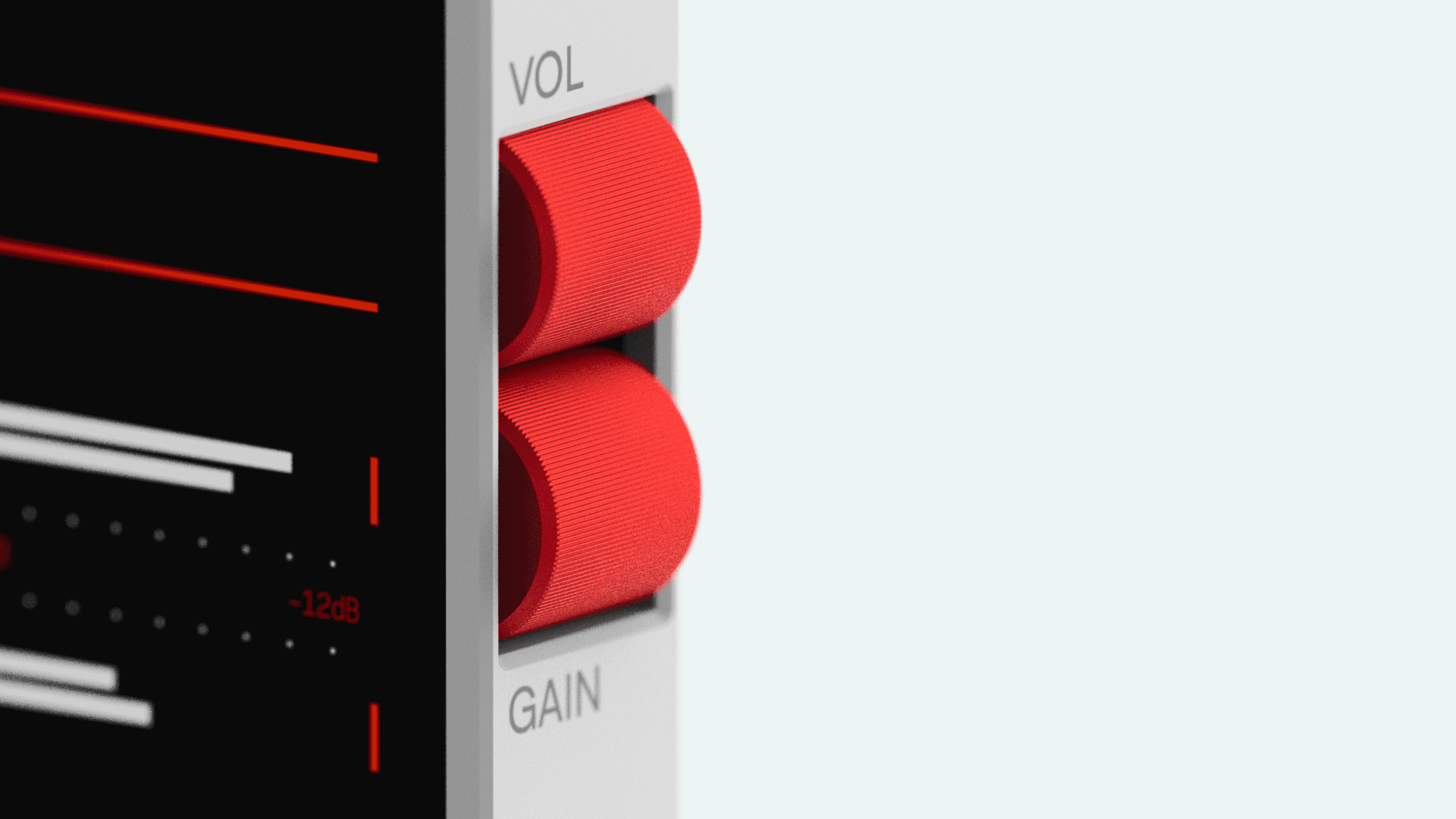
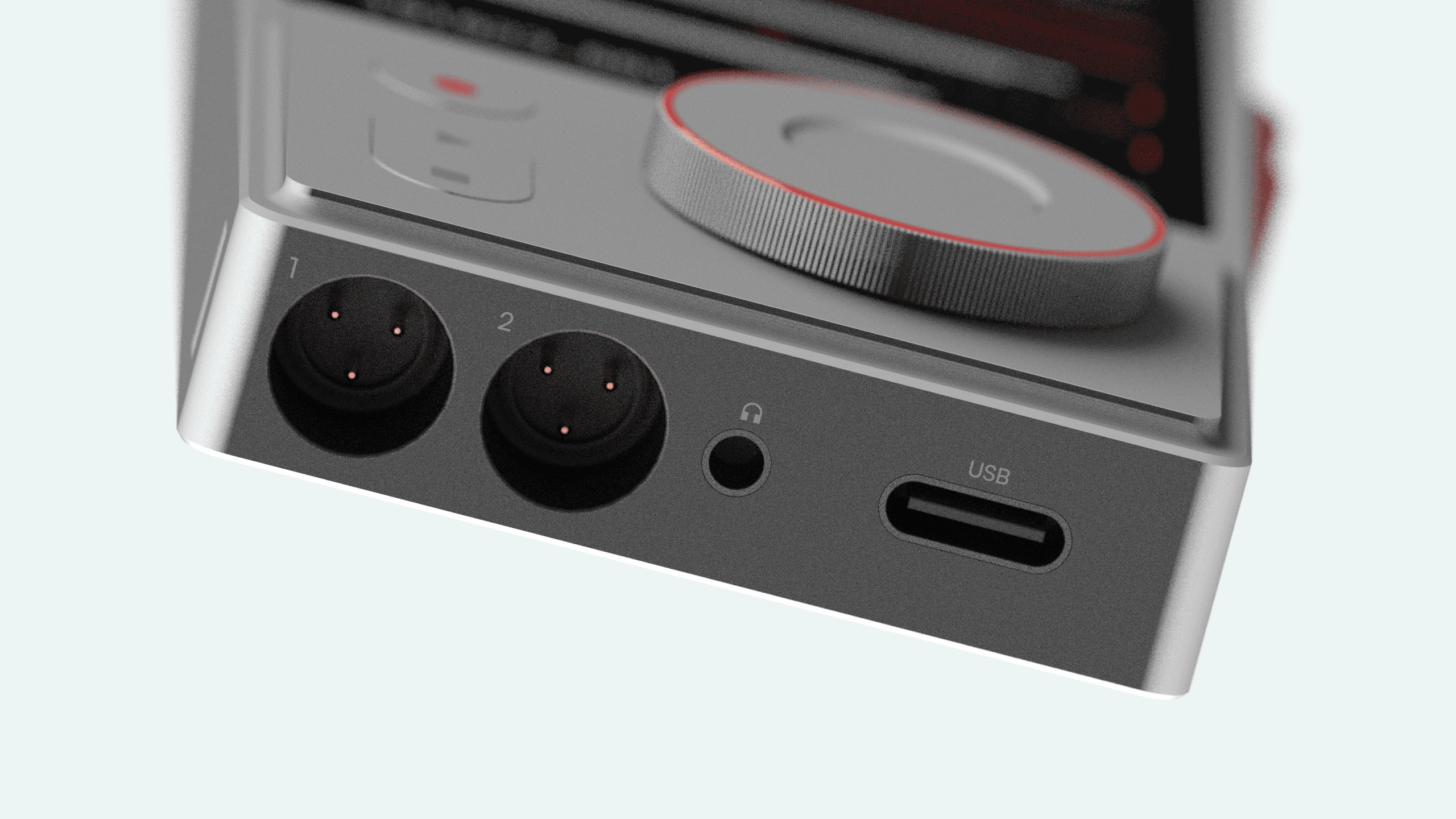
The device features 2 mini-XLR input ports, that are labeled as input 1 and 2 respectively. Both ports support external microphone support for 4-channel recording. Alongside the XLR inputs, there is a 3.5 millimeter input jack, that supports stereo phones, so you can monitor your inputs clearly.
For external connectivity and charging, the device is equipped with a high speed USB-C port.
Ports and Connectivity
The device has a perforated stainless steel bar on the top, which houses the in-built stereo microphones. The bar curves around the edge of the device where 2 more microphones are present, that capture a crisp ambient sound when required.
Microphones
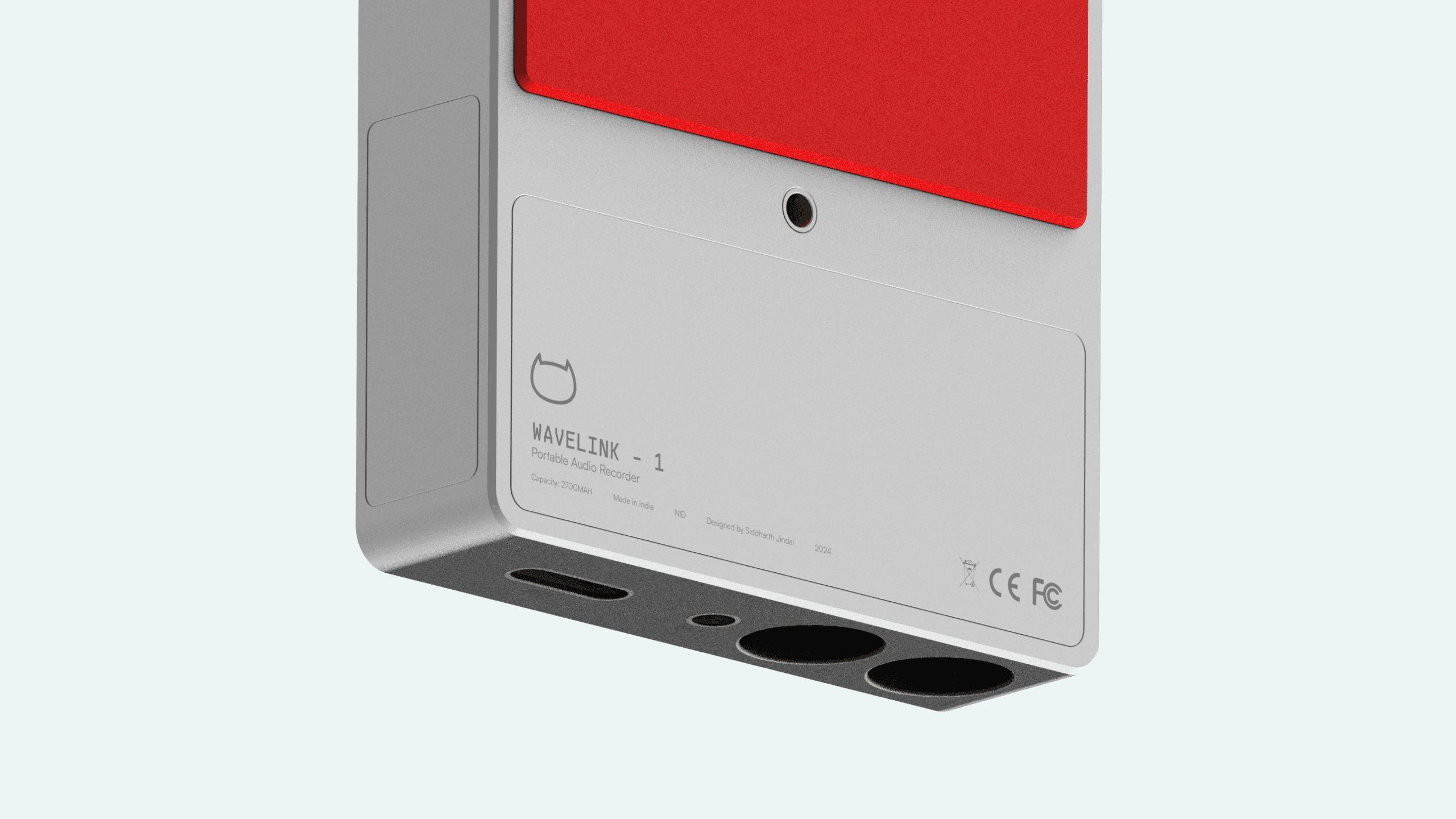
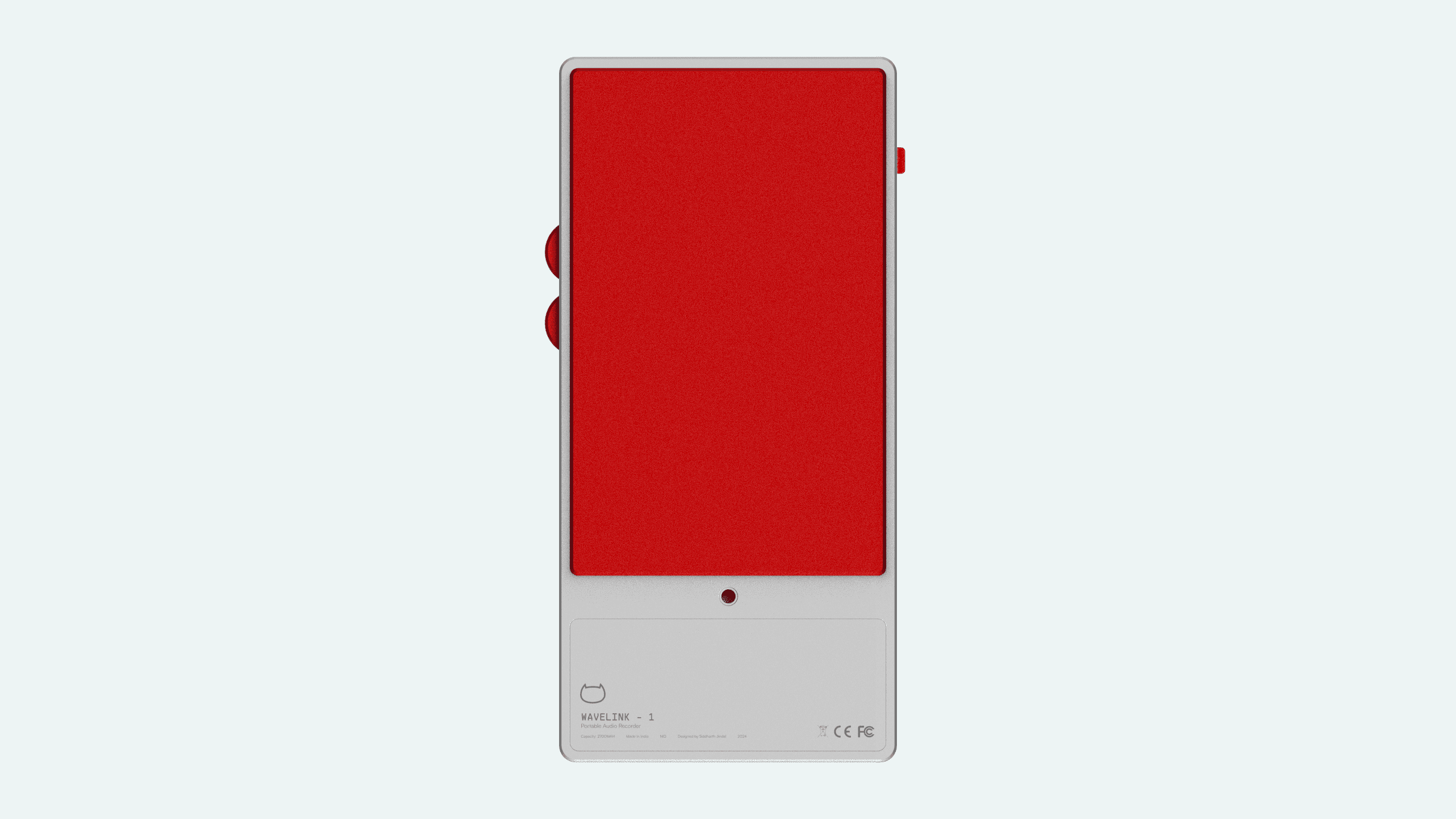
On the back of the device, a sheet of red soft rubber is applied. This keeps the device stable when kept on a flat surface, and also acts as a shock absorbent so that the microphones does not catch any unwanted disturbances.
Along with that, a standard mounting hole is present, so that it can be mounted on a tripod when being used in a multiple microphone setup.
Packaging
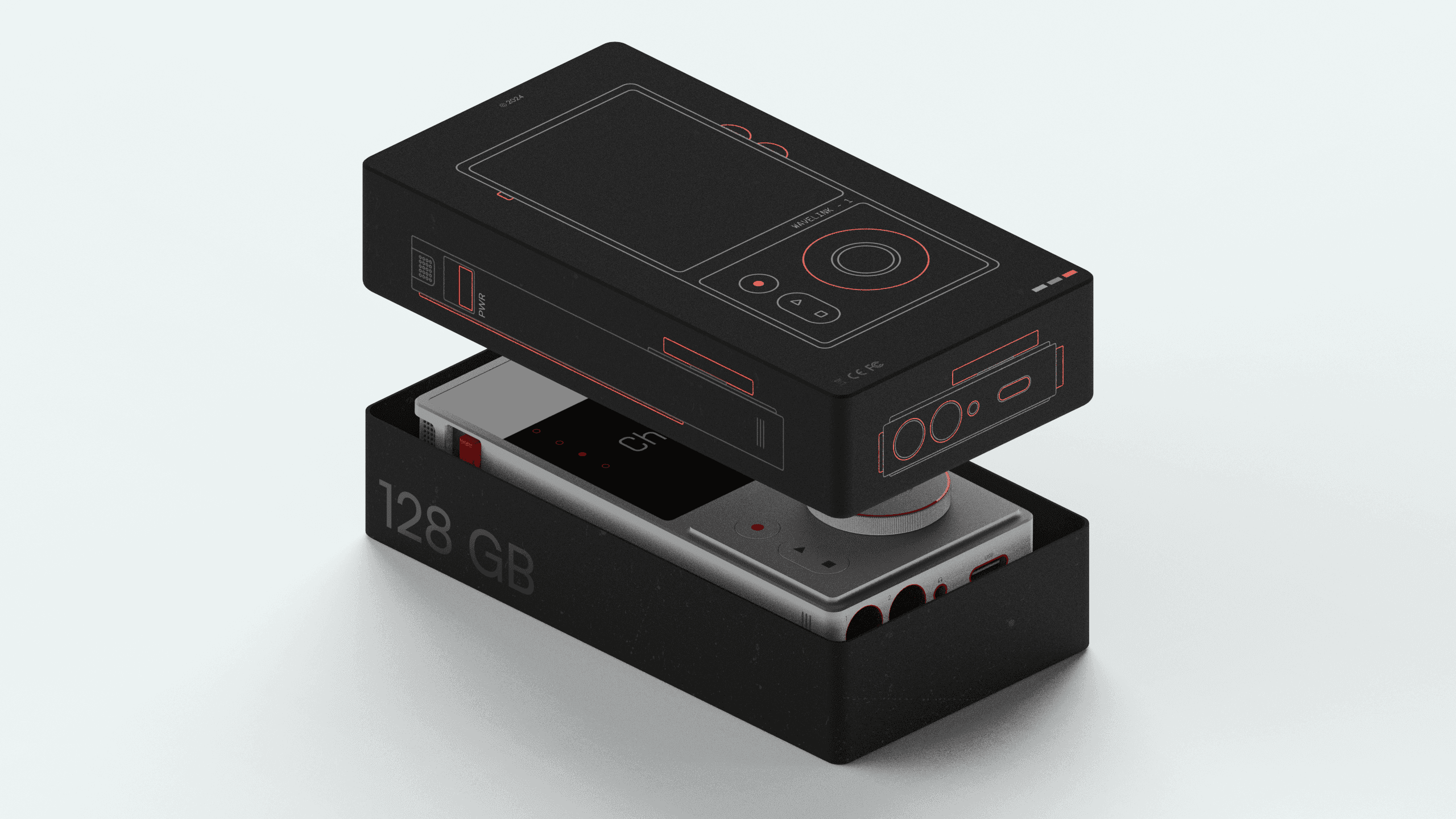
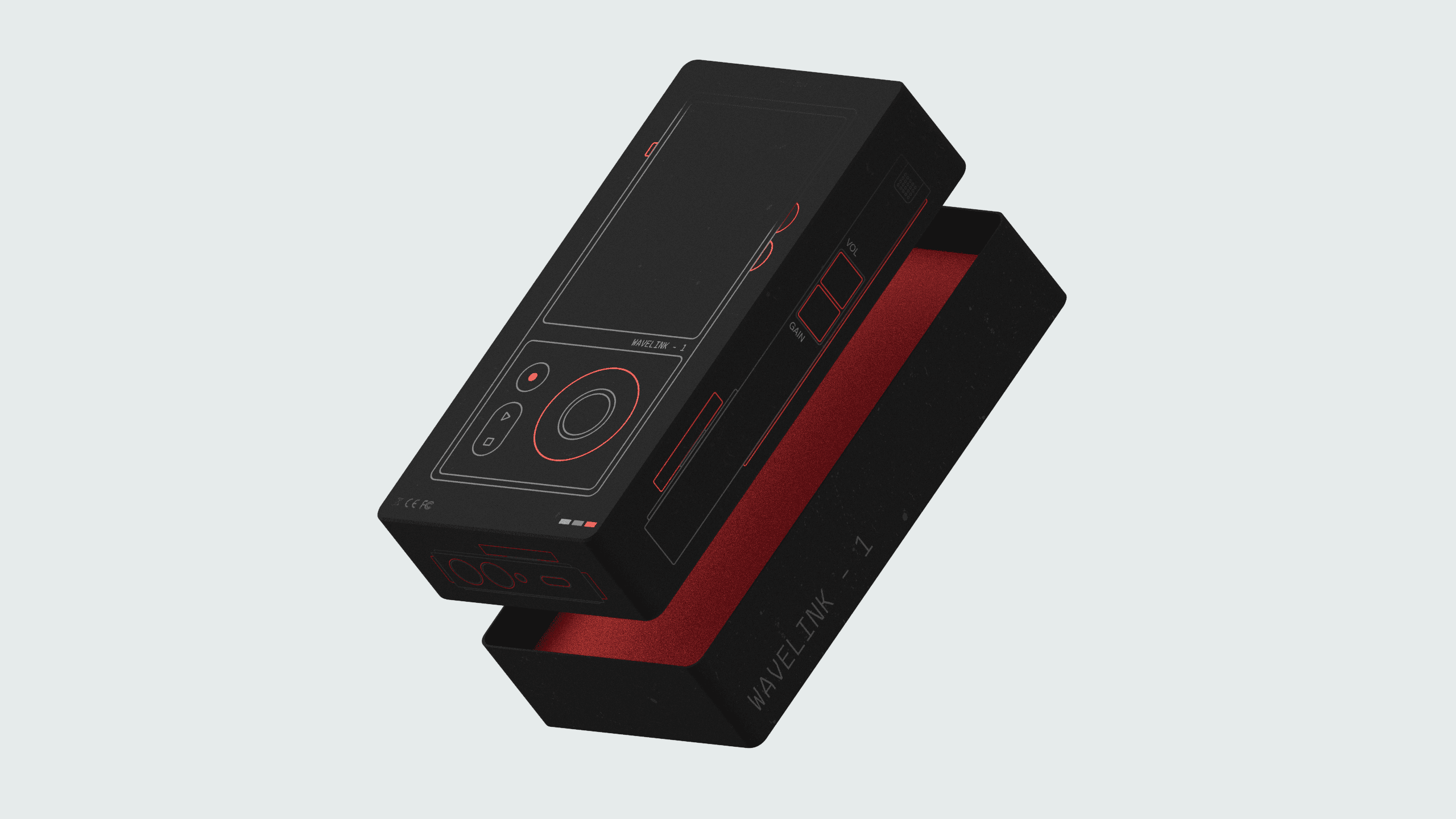
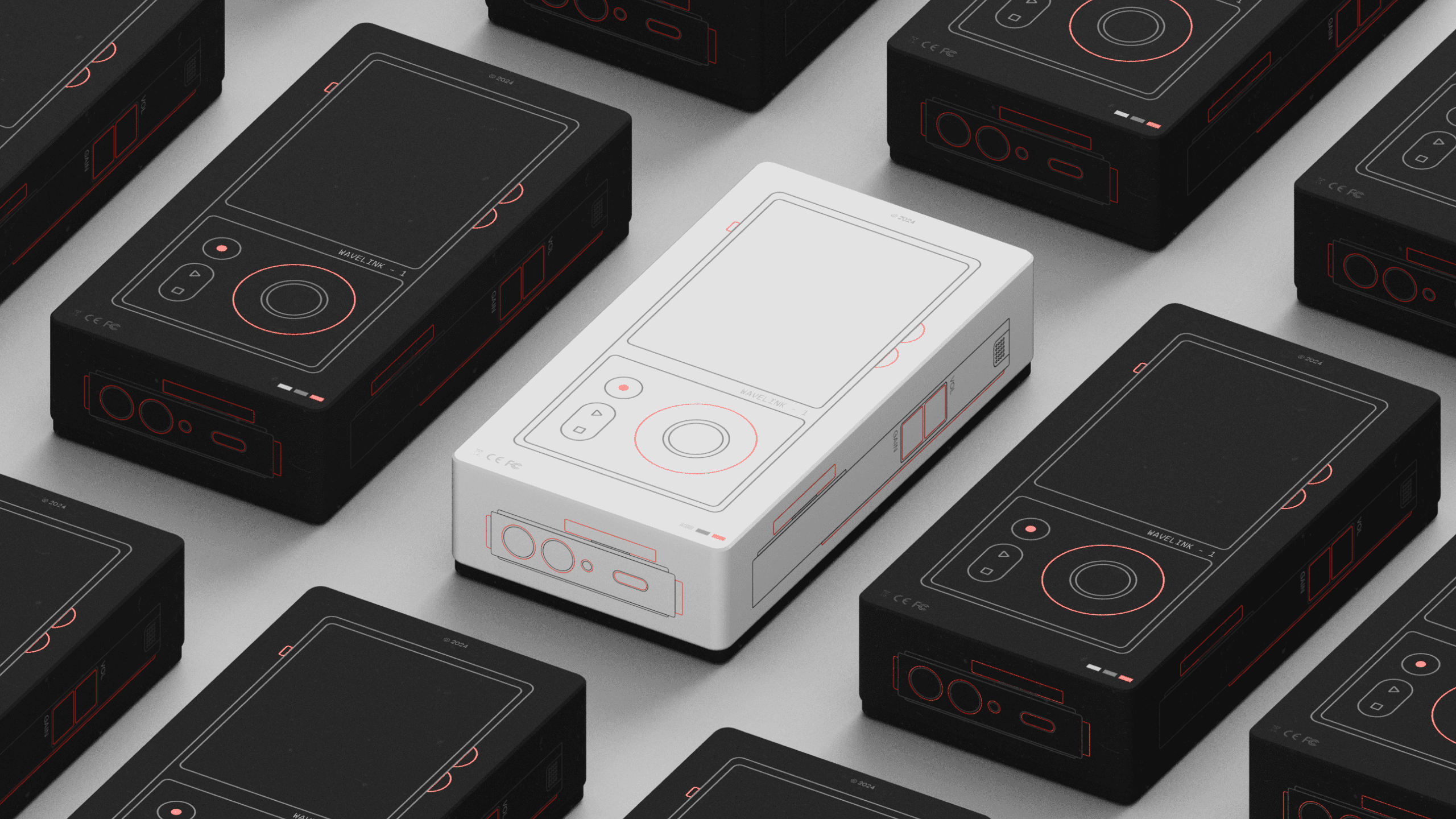
The packaging for the Wavelink - 1 is manufactured from recycled ABS plastic. The device comes in a sleek, easy to carry plastic box that displays a minimalistic rendering of the form of the product on all its sides. The packaging, instead of being a throw away box, doubles as a carrying case for the product itself, keeping it safe during travel.
prototype
To validate the UX concepts in real-world contexts, I built a functional prototype of Wavelink-1 using an Arduino Uno microcontroller paired with 3D-printed enclosure. This tangible model allowed rapid testing of interface flow, tactile feedback, screen readability, and control ergonomics.
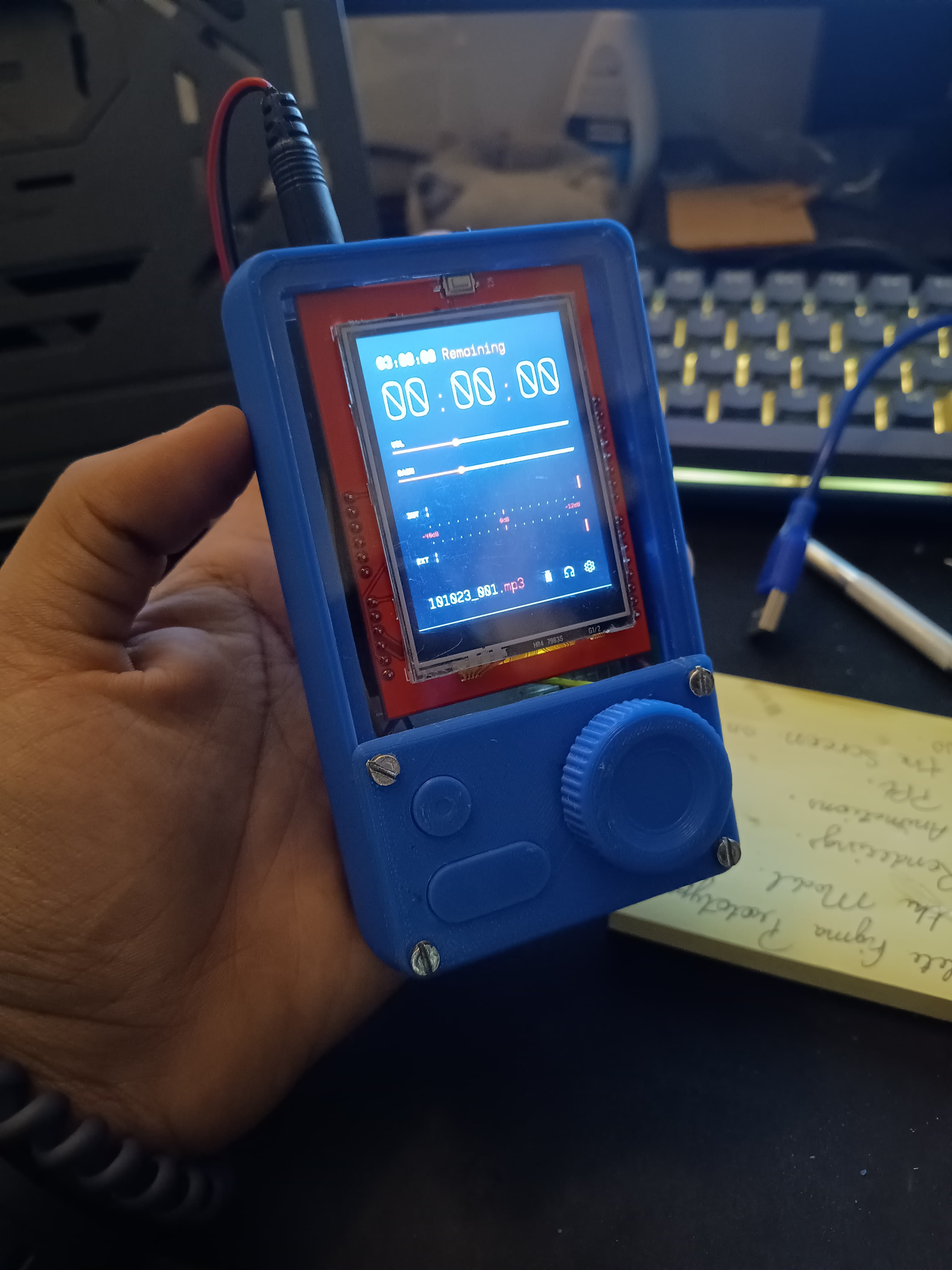
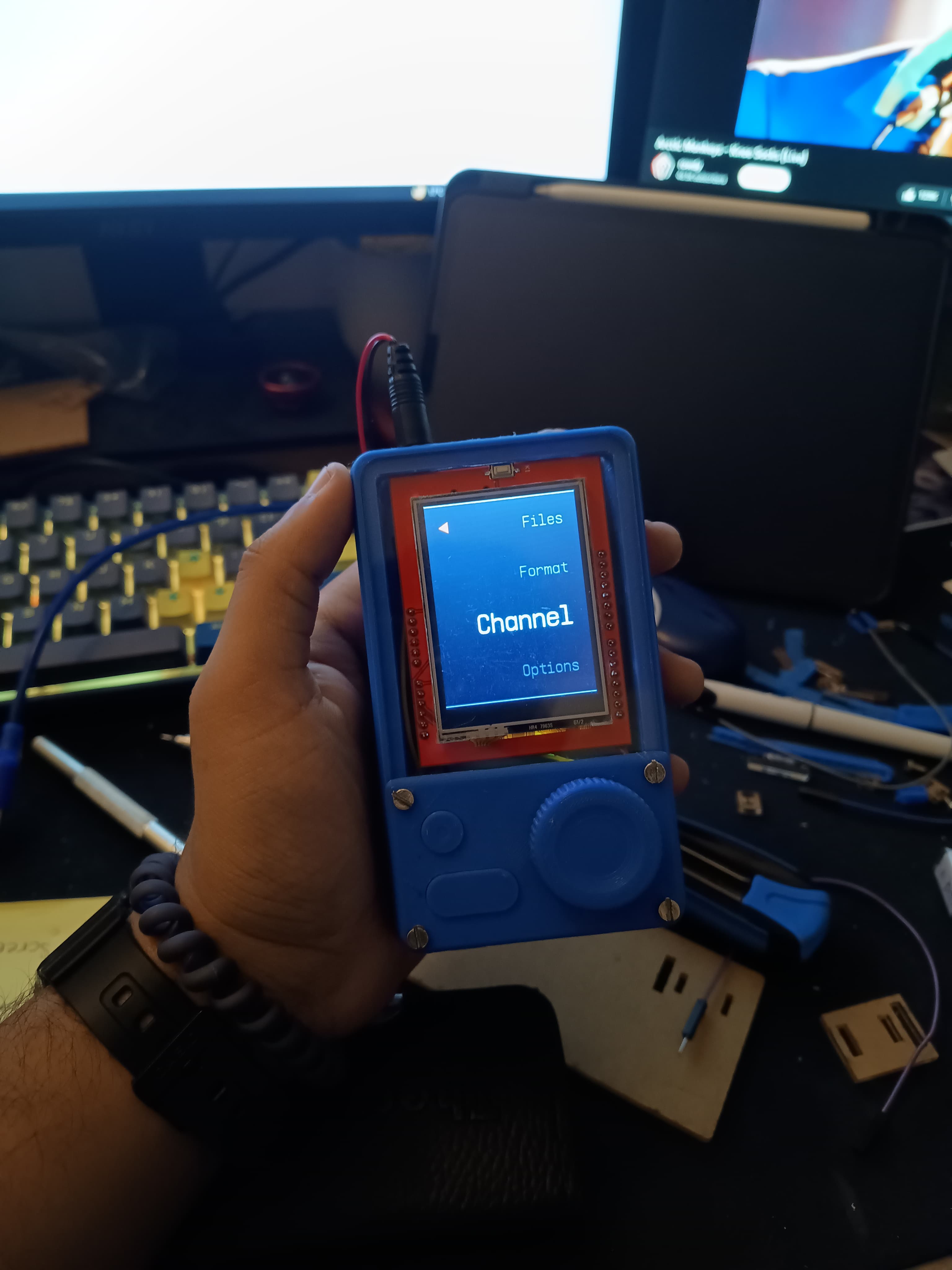
Controller & Logic: Built using an Arduino Uno, allowing custom logic for UI interaction and real-time audio handling simulation.
Display Interface: Integrated a 2.4” TFT LCD screen for testing layout legibility, contrast, and information hierarchy.
Navigation Control: Used a rotary encoder with tactile feedback for menu navigation, reflecting decisions from early interaction wireframes.
3D-Printed Housing: Designed a custom ergonomic enclosure to test real-world grip, button placement, and portability.
Low-Fidelity, High-Impact: Enabled rapid iteration and user validation without needing high-end parts—core to lean UX methodology.
Form + Function: Focused on balancing physical usability with interface clarity in line with affordance-driven design.
Prototype Development Highlights