2024 • made for National Institute of Design
From Noise to Notation | Designing a reliable way to capture audio with clarity, speed, and confidence.
To help creators capture, monitor, and manage audio effortlessly through a streamlined, intuitive recording device built around real-world needs and fast-paced workflows.
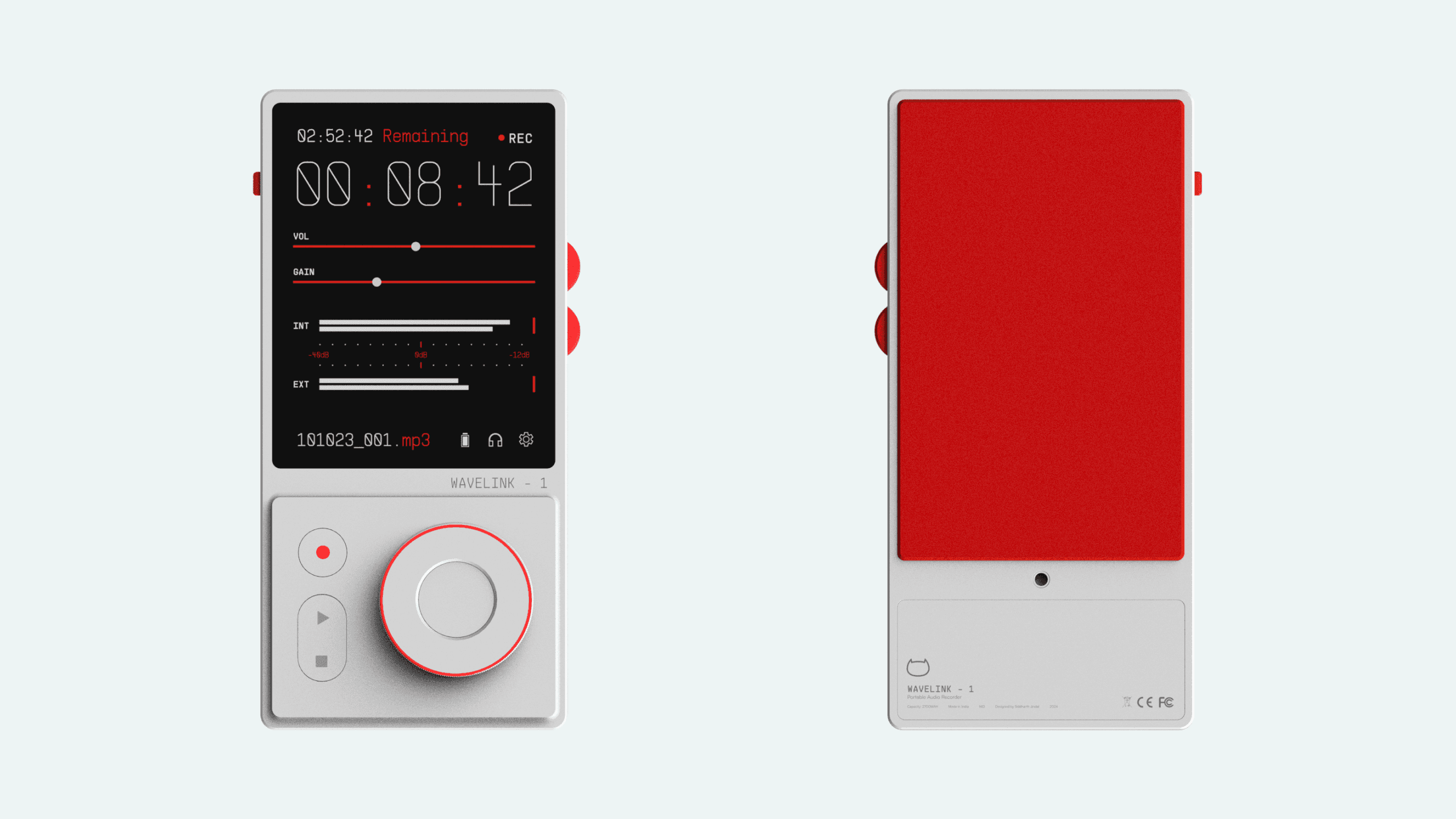
The Context
Wavelink - 1 is a product redesign project born out of my experience during the 4th semester at NID, where I had the opportunity to use the Tascam DR-40x sound recording device for a filmmaking project. Despite its impressive feature set, I found the user interface to be notably unsatisfactory. The device's subpar display, bulky design, and non-intuitive controls led to a frustrating user experience.
As a design exercise, I embarked on reimagining the product as a sleek, modern piece of equipment that not only offers intuitive functionality but also exudes aesthetic appeal.

Why?
Traditional field recorders often get in the way of the very thing they’re built for, capturing sound. Complex menus, poor feedback, and unintuitive layouts create friction during high-pressure moments. Wavelink-1 was born out of a need to simplify that experience.
By prioritizing clarity, tactile feedback, and real-time visibility, the goal was to design a tool that supports creators, without distracting them from the moment.
IDEATION
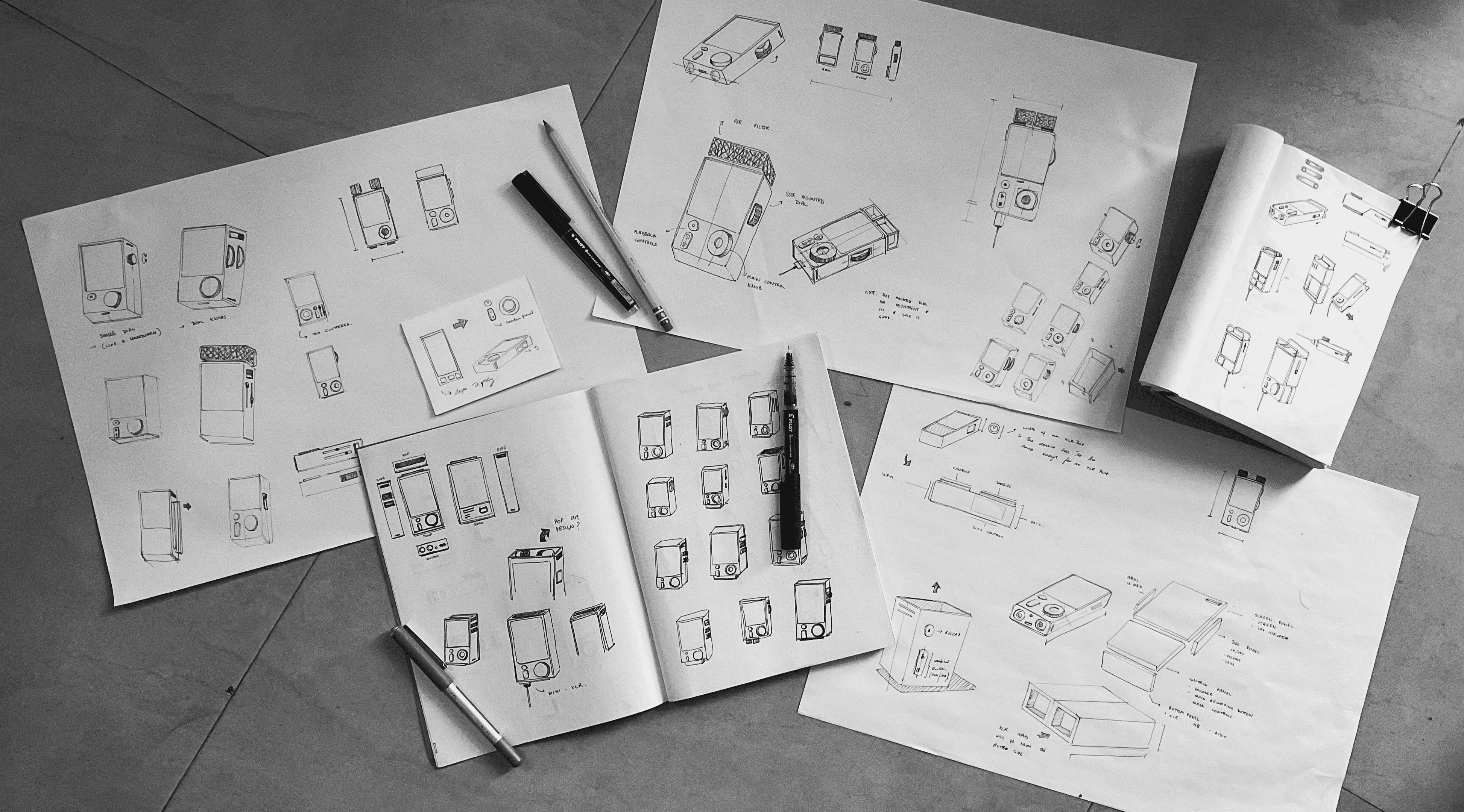
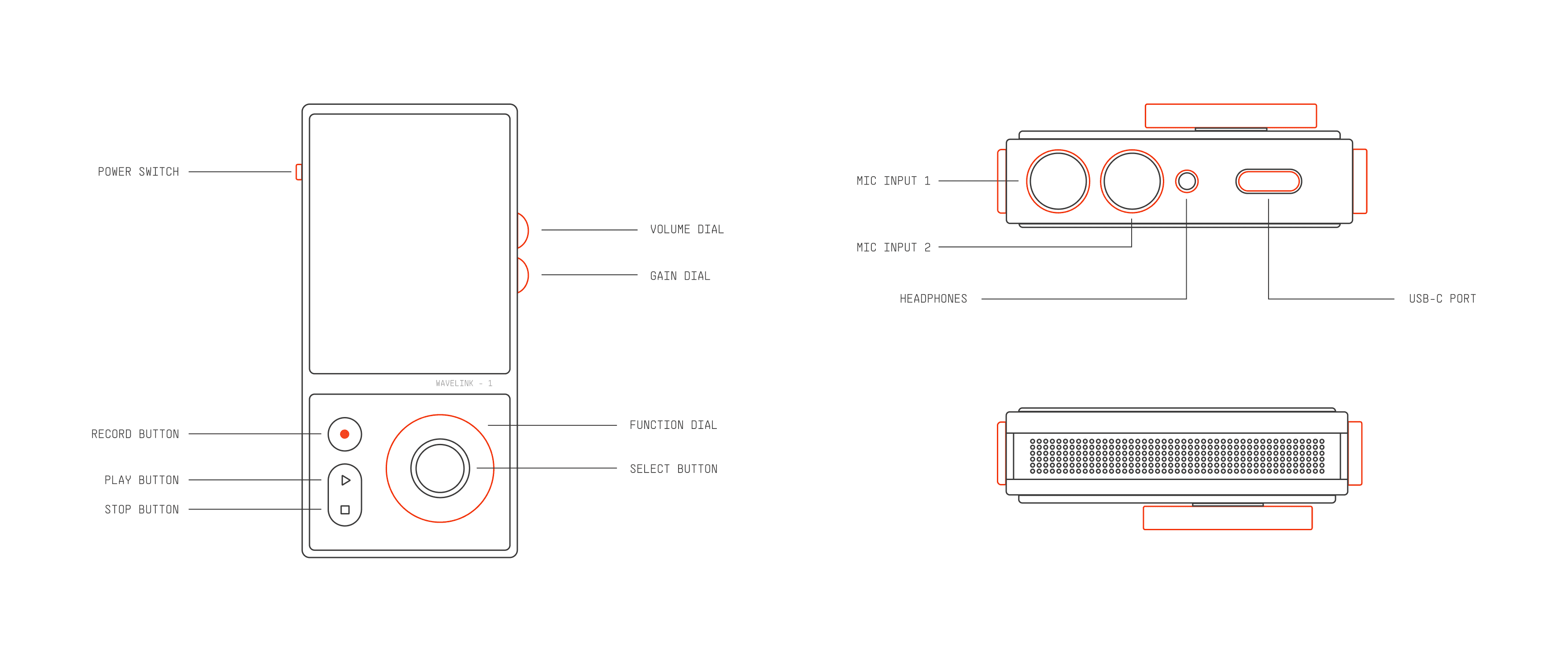
The main areas I wanted to work on regarding the redesign was, improving the display, both in terms of its size and its type, reducing the amount of controls and make the task flow easier, and redesigning the body of the device to be sleek, modern and aesthetic.
I sketched out some rough ideas and used Figma to refine them.
Idea 1: Recommended Dates Drop down
I replaced the default calendar picker with a short list of recommended installation dates. Instead of asking users to scan an entire month, a few near-term options upfront that were more likely to lead to successful installations. This helped the decision feel quicker and more intentional at a moment where users are most likely to hesitate.
I kept the full calendar one step away through a “Select other date” action, so the users who want a delayed installation can still pick a date of their choice.

Guides most users toward better outcomes without asking them to think too hard, making the decision for them.
Can feel restrictive to users who want to see all options immediately.
Recommended dates can quickly become invalid due to technician availability changes, making the experience feel unreliable if options disappear or shift after selection, in case of opting for a saved cart.
Idea 2: earliest date radio box
In this implementation, we have a set of dates labeled with the proper copywriting, explaining to the customer that these are some dates on which they can get a technician to their house at the earliest. This reduces the amount of clicks that the user has to go through to a mere single click.
Similar to the initial idea, I kept the Installation Date button intact, so that the customers who are looking for a date of their choice can still select it from the standard calendar.

Possibly the quickest way of date selection that can be offered in this particular web experience.
This particular Radio Box works well on a desktop breakpoint, but doesn’t translate clearly on a mobile breakpoint.
While the senior designer on my team liked this approach, it was not consistent with how Verizon US presented their selections on the MVO and MVA experiences.
Idea 3: Updating the calendar
For this idea, we took a step back and proposed a redesign of the calendar. Now, because Verizon already has an extensive design system built for all possible use cases, taking a pre-stablished component as the base design felt like the right thing to do. It would keep solution consistent through out the entire online experience, and also reduce on the development times drastically.
The diagram below explains the additions made to the calendar component:


Showcases the system recommended dates to user and at the same time shows the unavailable and cancelled dates.
Because we are using the same base component, it integrates seamlessly into all the different breakpoints of the web experience.
Even with the changes done to the component, the integration aligns with Verizon’s brand guidelines.
Outcome
The final approach went live on the Fios Home Internet flow, where optimized installation dates were shown earlier and more clearly during checkout.
This helped nudge more customers toward near-term installations without taking away their ability to choose other dates.
Impact
The final solution led to an 11–13% improvement in customers selecting optimized installation dates, directly reducing friction between purchase and installation.
By reshaping how dates were sequenced and presented, the experience improved follow-through at a critical commitment point without changing pricing, availability, or operational constraints. This demonstrated that relatively small UX interventions in choice architecture can drive meaningful business outcomes at scale.
Key Takeaways!
This project reminded me that small details can carry a lot of weight. Installation scheduling looked like a simple step, but it turned out to be a moment where users were quietly deciding whether to stick around or not.
A bit of thoughtful sequencing and clearer guidance went a long way, without needing to add complexity or new features.
Good Afternoon, it’s 03:55 PM in Bangalore, IN.
Light Mode